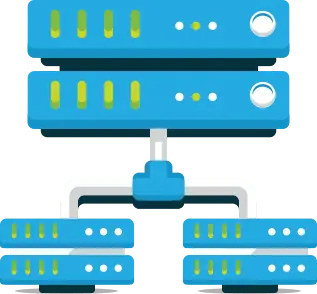
VDI (Virtual Desktop Infrastructure) is used to create a virtualized desktop environment on a remote server setup. VDI segments the servers into various virtual desktops which the employees can access remotely through their devices.
VDI is a form of cloud computing where the client/server protocol used is the virtual device interface that mirrors the graphical user interface. Therefore, VDI can be considered a DaaS application of the cloud, and in time, VDI and cloud computing will converge further.
Virtual desktop infrastructure (VDI) is defined as the hosting of desktop environments on a centralized server. It is a form of desktop virtualization, as the desktop run within virtual machines (VMs) and are delivered to end user or employees in the network.
The primary purpose of VDI is that you get the benefits of desktop For example, in a remote-work setup, every employee gets centralized data storage from their homes, using VDI solution you can monitor your employees activity this helps your organization to keep up the productivity and also gives freedom to work from home.
CLOUD VDI PLANS
| CPU | RAM | DISKSPACE | ADDONS | UNIT | PRICE | |
|---|---|---|---|---|---|---|
| 2 vCPU | 2 GB | 50 GB | Win license and Anti virus | 1 User | ₹1620/Mo | Buy Now |
| 2 vCPU | 4 GB | 75 GB | Win license and Anti virus | 2 Users | ₹2250/Mo | Buy Now |
| 4 vCPU | 8 GB | 100 GB | Win license and Anti virus | 4 Users | ₹3600/Mo | Buy Now |
| 6 vCPU | 16 GB | 200 GB | Win license and Anti virus | 8 Users | ₹6300/Mo | Buy Now |
| 8 vCPU | 32 GB | 300 GB | Win license and Anti virus | 12 Users | ₹9900/Mo | Buy Now |
Ideastack requires users to complete eKYC as per government regulations.



1. What is Virtual Desktop Infrastructure (VDI)?
Virtual Desktop Infrastructure is a technology used in remote server setup to build a virtualized desktop environment. It is a type of desktop virtualization, where the actual desktop images run within virtual machines and are sent over a network to end clients. VDI segments the servers into different virtual desktops that users can access from their smartphones remotely. PCs or other computers, such as tablets or thin client terminals, may be those endpoints.
2. How VDI can benefit your business?
Deploying VDI boosts productivity for distributed teams — your employees can work from anywhere on a centralized server. Using Ideastack's cloud monitoring with VDI you can monitor your employee's activity.
All corporate data exist within the corporate firewalls at a central location which protects the data against any unauthorized or external access. Therefore, the user who gets access to the data "views" the data and data is not transferred to another device. It secures the data from hijacking, theft, or data loss of some sort.
Each virtual machine operates on the same server as an individual machine, and even if one of the VM fails in the operations it does not affect the working of other VMs. Different research and sequencing on improving the efficiency of VMs can be carried out without impacting the function of different workstations.
All the VMs over the virtualized infrastructure use a hardware base image to process various requests and to handle different drivers. This saves the extra expense of creating each hardware device for each workstation; instead, centralized hardware will accommodate all the workstations.
Using a VDI Can help you to boost your application performance because of the high configuration of the server you can use any software that requires a high config eg: and you can use a fully functional photo editor or video editor using a VDI if your current system doesn't match the requirements of the software.
A virtual desktop responds in a similar way to an actual operating system. The program functions and provides a similar experience for the users and also improvements in the system registry level can be performed at specified locations, such as the DLL replacements.
VDI reduces hardware costs by centralizing computing resources. Organizations save on purchasing, maintaining, and upgrading individual workstations while extending the life of existing devices.
With VDI, employees can access their desktops from anywhere, ensuring business operations continue seamlessly during emergencies, natural disasters, or unexpected situations.
IT teams can manage all virtual desktops from a central location, making software updates, security patches, and troubleshooting faster and more efficient across the organization.
VDI reduces power consumption by replacing power-hungry desktop PCs with thin clients. This leads to lower electricity bills and a smaller carbon footprint for your organization.
Easily scale your infrastructure up or down based on business needs. Add new virtual desktops quickly without purchasing additional hardware or complex setup processes.
Employees can access their personalized desktop environment from any device, anywhere. This flexibility boosts productivity and enables effective remote work capabilities.